On a few motherboards, the M.2 heatsink on the south side of the CPU socket may interfere with the Liquid Freezer III.
To check your motherboard’s compatibility, please follow this link:
Liquid Freezer III Motherboard Compatibility
Liquid Freezer III Pro Motherboard Compatibility


During installation, try rotating the Liquid Freezer III 180 degrees so that the tubes do not collide with the M.2 cooler.
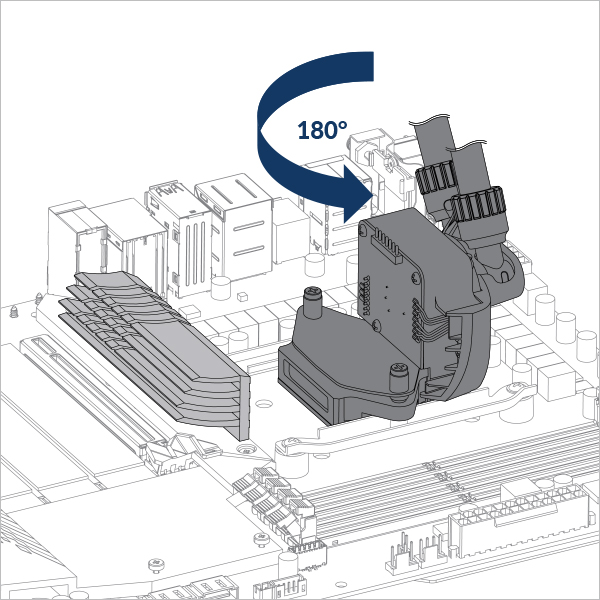
If the solution mentioned above does not work with your motherboard, you can either replace the M.2 heatsink with a thinner one or simply remove it completely.
We would be happy to provide you with a suitable M.2 cooler, our M2 Pro. Please contact ARCTIC Service to request a free replacement. Please include the invoice for your motherboard and the Liquid Freezer III/III Pro with your request.